
Local SEO for Multispecialty Clinics: How to Make Every Department Findable

A patient with a swollen knee in Salt Lake does not search for your clinic’s name. They type "orthopaedic doctor near me" or "knee specialist Salt Lake" and pick from whatever Google shows. If your orthopaedics department is buried on one long "Our Services" page alongside cardiology, dermatology and paediatrics, there is a good chance it never shows up at all.
That is the core problem with local SEO for multispecialty clinics. Search engines rank answers to specific needs, but most clinic websites are built around the organisation, not the department. This guide shows how to fix that, one specialty at a time, within Google’s rules.
Why is a single clinic profile not enough?
A single-specialty practice has an easy job. One service, one location, one set of keywords. A multispecialty clinic is really several businesses sharing a building, and each one competes in its own local market. Your dermatology team is up against standalone skin clinics. Your cardiologists compete with hospital OPDs. Your physiotherapy unit competes with home-visit services.
When everything sits under one generic page and one Google Business Profile, a few things go wrong:
- Department-level searches have no strong page to land on, so Google picks a competitor whose page answers the query directly.
- The clinic ranks for its brand name and maybe "clinic near me," but not for the specialty searches that bring in new patients.
- Reviews, photos, and questions all mix together, so a patient looking at gynaecology sees feedback about the dental chair.
Local medical SEO for a clinic with many departments is less about one big push and more about giving each specialty a clear, accurate presence of its own.
The principles behind department-level visibility
Google’s local results lean on three broad signals: relevance (does this listing match the search?), distance (how close is it?), and prominence (how well known and trusted is it?). You cannot change your distance from a patient. You can work hard on relevance and, over time, prominence.
For multispecialty clinics, relevance is the lever most teams underuse. A few principles keep the work grounded:
- One department, one clear page. Each specialty that patients search for separately deserves its own URL with its own content. Thin pages that swap the specialty name into a template rarely do well.
- Accuracy over volume. Google’s guidelines for representing a business allow publicly facing departments that operate as distinct entities to have their own profile, typically where they have a separate entrance or different hours. The department’s name and primary category must differ from the main clinic and from other departments. Sections of the same space that do not function separately do not qualify.
- Doctors can be listed, but carefully. The same guidelines treat doctors as individual practitioners who may have their own profile if they are public-facing and directly reachable at the verified location. A doctor should not create separate profiles for different specialisations, and support staff should not have profiles at all.
- Service-area honesty. Clinic service-area relevance means showing up for the neighbourhoods you genuinely serve. If your Kolkata clinic draws patients from Salt Lake, New Town and Dum Dum, say so naturally on the relevant pages. Do not create pages for areas you do not serve, and never add location keywords to your business name. Google explicitly disallows extra keywords, service descriptions, and location details in profile names.
A step-by-step method for each department
Start with the department that has the most search demand and capacity for new patients, then move down the list.
Step 1: Map departments to real search demand
List every department and the conditions or procedures it handles. Then check how people actually search: Google Search Console queries, the "People also ask" box, autocomplete suggestions, and your front-desk call logs. Patients often search by symptom ("child fever not going down") rather than specialty ("paediatrician"). Your page should cover both.
Step 2: Build proper specialty clinic pages
Each of your specialty clinic pages should answer what a patient wants to know before booking:
- Which conditions and procedures the department handles
- The doctors in that department, with qualifications and registration details
- OPD days and timings, which often differ by department
- How to book, and what to bring for a first visit
- The floor, wing, or entrance, if the department sits separately
Write in plain language and explain what a consultation involves. Keep it informational: this is marketing content, not medical advice, so point patients to a doctor for diagnosis.
Step 3: Decide on Google Business Profiles
Use a simple decision check for each department:
- Does it have its own public entrance, reception, or clearly separate area?
- Does it keep hours different from the main clinic?
- Is there a primary Google category that fits it and differs from the main clinic’s category?
If the answer to all three is yes, a separate department profile may be appropriate under Google’s rules. If not, keep it within the main clinic profile and lean on the website, services list, and practitioner profiles instead. When in doubt, a single well-maintained profile beats several that risk suspension.
Step 4: Link everything together
Each Business Profile should point to its matching department page, not the homepage. Department pages should link to the relevant doctor bios and back to the main clinic page. This internal structure helps search engines understand which page answers which need.
Step 5: Earn department-specific reviews and mentions
Ask patients for reviews through compliant, neutral requests, with no incentives and no selective filtering. Reviews that naturally mention the department help relevance. Local mentions also matter: a cardiologist speaking at a Kolkata health camp or a paediatrician quoted in a local newspaper builds prominence for that specialty.
Department launch checklist
Use this for every specialty before you mark it as "done":
- Dedicated page with conditions, doctors, timings, and booking steps
- Doctor bios with verified qualifications and registration numbers
- Unique title tag and meta description mentioning the specialty and area
- MedicalClinic or Physician schema where appropriate
- Profile decision recorded (main profile, department profile or practitioner profile)
- Profile links pointing to the matching department page
- Name, address and phone consistent across the website, profiles and directories
- Review request process set up without incentives
- No patient-identifiable photos, stories or details without documented consent
Common mistakes and compliance limits
- Duplicate profiles. A listing for every department, or one doctor with three specialty profiles, can lead to suspension.
- Keyword-stuffed names. "City Care Clinic – Best Gynaecologist Kolkata" breaks Google’s naming rules. Use the real-world name on your signage.
- Copy-paste specialty pages. Ten pages with the same text and a swapped heading add little value. Each should reflect what that department actually does.
- Guarantees and superlatives. Avoid claims about outcomes, cure rates, or rankings. Doctors in India are also bound by medical council rules on advertising and solicitation, so check the current professional conduct regulations with your medical team before publishing.
- Patient privacy. Testimonials, before-and-after images, and case stories involve health data. Get written consent, remove identifying details where possible, and align your handling with the Digital Personal Data Protection Act, 2023. Never reply to a review in a way that confirms someone was a patient or discusses their treatment.
- Expecting instant results. Local rankings depend on factors you do not control, including competitor activity and searcher location. No one can promise a top-three position.
How to measure progress and decide what to do next
Track each department separately. A combined clinic report hides which specialties are working.
- Search Console: filter by page URL to see impressions, clicks, and queries for each specialty page.
- Business Profile performance: calls, direction requests, and website clicks per profile.
- Booking source: ask at the front desk or in the booking form how the patient found you, and which department they came for.
- Rank tracking: check a small set of specialty plus area searches from a few points in your service area, since results shift with location.
Review the numbers monthly and act on patterns rather than single weeks. If a department page gets impressions but few clicks, rework its title and description. If clicks are healthy but bookings are low, look at the page content, timings, and booking friction. If a page barely appears for anything, it probably needs deeper content or better internal links. Then move to the next department on your list.
Bringing it together
Local SEO for multispecialty clinics comes down to treating each department as its own answer to a patient’s search: a genuine page, an accurate profile decision, honest service-area signals, and steady, compliant reputation building. Done one specialty at a time, it is manageable even for a small marketing team.
If you would like to see how this fits into a wider plan, Doctors Branding Agency’s Local SEO and healthcare SEO pages explain the service in more detail, including how department-level work connects with the rest of a clinic’s search presence.
Keep reading
More from the Doctors Branding blog
-

How to Keep Clinic Business Information Consistent Across the Web?
A patient searches for a paediatrician near Salt Lake, finds your clinic on Practo, rings the number listed there and...
Read article → -
Google Maps Ranking Factors for Clinics: What You Can Actually Control
A patient in Salt Lake with a throbbing tooth rarely scrolls past the first three clinics Google Maps shows them....
Read article → -
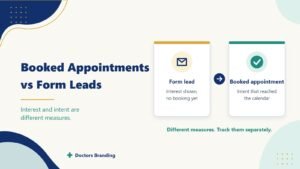
Why Booked Appointments and Form Leads Are Different Marketing Measures
Why form leads and booked appointments are different measures, how to track them separately and how to improve the step...
Read article →
Want this kind of thinking applied to your practice?
Start with a conversation about where your doctor, clinic or hospital marketing stands today.