
Negative Keywords for Medical Google Ads: How to Reduce Irrelevant Clicks
Negative keywords for medical Google Ads: build a starter list, review search terms and cut irrelevant clicks without losing real patients.
A clinic can end up paying for a click from someone searching for a nursing job, a home remedy, a medical college syllabus, or a hospital in another city. None of these people will book an appointment, and each click costs as much as one from a real patient.
Negative keywords for medical Google Ads are the main way to stop this. They tell Google which searches your ads should not show for, so more of your budget reaches people looking for the care you actually offer.
This guide is for clinic managers, healthcare business leaders, and marketing teams who oversee search campaigns. It is marketing guidance only, not medical advice.
Why irrelevant clicks cost clinics more than they seem to?
Healthcare searches mix very different intentions. A search for “dermatologist” could come from a patient ready to book, a student weighing career options, or someone curious about what dermatologists earn. Many healthcare search terms also overlap with information-only queries about symptoms, home treatments, medicine side effects, or government schemes.
Clinic PPC waste rarely shows up as one obvious failure. It builds slowly: a few rupees on “skin doctor salary”, a few more on “free skin camp near me”, and a steady trickle of clicks from towns you don’t serve. On a modest daily budget, these clicks can use up the day’s spend before genuine enquiries arrive.
It also skews your reports. If a third of your clicks were never potential patients, your conversion rate looks worse than it is, and a working campaign can end up paused.
How do negative keywords work in Google Ads?
A negative keyword stops your ad from showing when a search contains a term you have excluded. There are three match types, and they behave differently from the keywords you bid on. Google’s help documentation explains that a broad match negative blocks a search only when every word in it appears, in any order. A phrase match negative needs those words in the same order, and an exact match negative blocks only that precise query.
- Negative broad match is written plainly, for example: salary
- Negative phrase match uses quotation marks: “at home”
- Negative exact match uses square brackets: [dentist jobs]
One detail catches many people out. Negatives don’t automatically cover close variants, synonyms, or plurals. Blocking “job” does not block “jobs”, so add both.
You can apply negatives at the ad group, campaign, or account level, or save them in shared negative keyword lists that you attach to several campaigns at once. For a multi-specialty clinic, shared lists save a lot of repeated work.
A step-by-step method for finding wasteful search terms
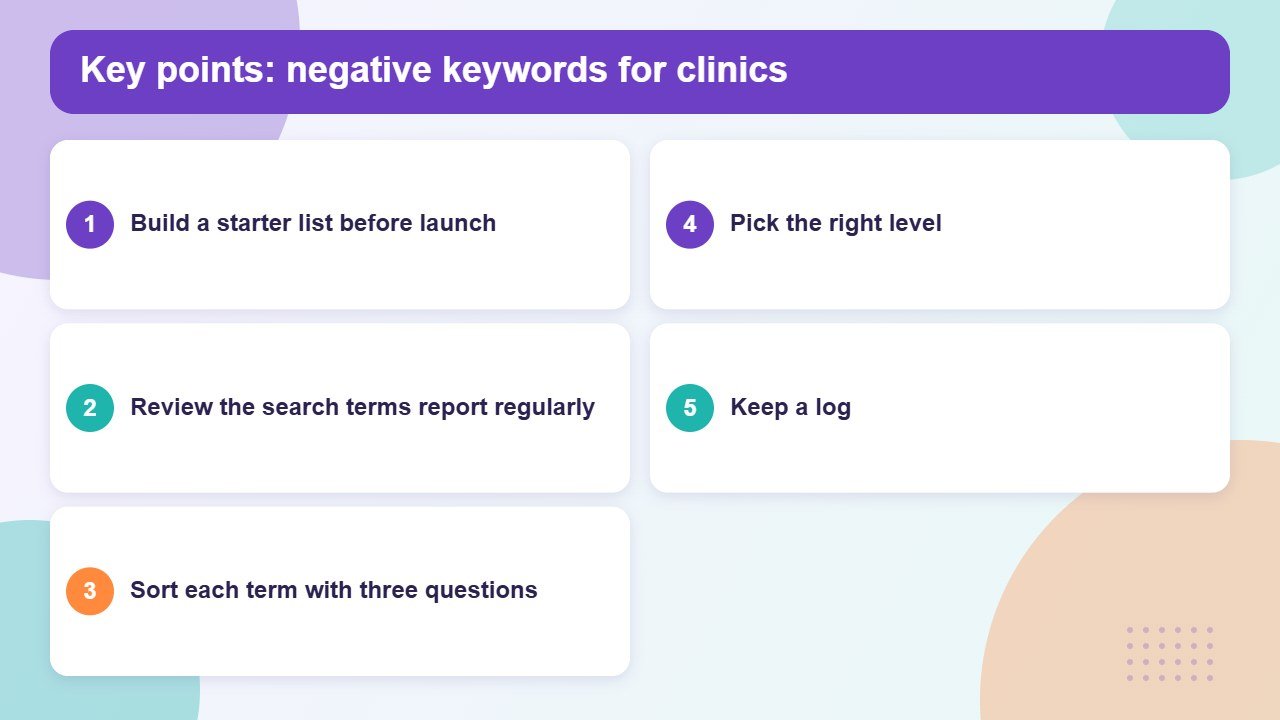
Step 1: Build a starter list before launch
Before a campaign goes live, list the kinds of searches you never want to pay for. For most clinics, that includes:
- Employment: job, jobs, vacancy, salary, recruitment, internship
- Education: course, syllabus, notes, PDF, exam, MBBS, NEET
- DIY and home care: home remedy, “at home”, DIY, natural cure
- Equipment and wholesale: machine, supplier, wholesale, dealer
- Locations you don’t serve: cities and districts outside your catchment
Step 2: Review the search terms report regularly
Once ads are running, the search terms report shows the actual queries that triggered them. Go through it weekly for the first month, then every two weeks. Google does not show every query, since some low-volume terms are hidden for privacy reasons, so the report gives you a large sample rather than the complete picture.
Step 3: Sort each term with three questions
For every unfamiliar term, ask:
- Could this person become a patient of this clinic? If clearly not, it is a candidate for exclusion.
- Is the problem one word, a phrase, or the whole query? One unwanted word suggests broad match. An unwanted expression suggests phrase match. A single bad query that shares words with good ones suggests exact match.
- Would blocking it remove useful traffic anywhere else? Check the term against every campaign and ad group before you add it.
Step 4: Pick the right level
Terms that are irrelevant everywhere, such as job-seeker words, belong in an account-level or shared list. Terms that only matter for one service belong at campaign or ad group level. “Implant” is wasted spend in a dermatology campaign but central to a dental one.
Step 5: Keep a log
Record the date, term, match type, level, reason, and who added it. A simple spreadsheet stops colleagues from undoing decisions they don’t understand.
This routine sits at the core of doctor ads optimisation on the search side, and it only works if it happens consistently.
Illustrative example: a dermatology clinic in Kolkata
Note: this is a hypothetical scenario created to explain the process. It does not describe a real client or real results.
Imagine a skin clinic in Salt Lake, Kolkata, running search ads for acne treatment and laser hair removal. It serves Salt Lake, New Town, and nearby parts of North 24 Parganas. After two weeks, the search terms report includes the following:
| Search term | Decision | Negative added | Match type | Reason |
|---|---|---|---|---|
| dermatologist job kolkata | Exclude | job, jobs | Broad | Job seeker, not a patient |
| acne treatment at home natural | Exclude | “at home” | Phrase | Looking for DIY care |
| laser hair removal machine price | Exclude | machine | Broad | Buying equipment |
| skin specialist siliguri | Exclude | siliguri | Broad | Outside service area |
| best acne treatment salt lake | Keep | — | — | Local patient intent |
| laser hair removal cost new town | Keep | — | — | Price-checking patient in the service area |
Note the last row. “Cost” and “price” can look like low-quality words, but here they come from potential patients. Blocking “machine” rather than “price” removes equipment buyers and keeps those patients.
Common mistakes and limitations
- Blocking too broadly. Adding “free” as a broad negative to filter out free health camp searches will also block “pain free laser hair removal”, which is a genuine patient query. Use a phrase negative like “free camp” instead.
- Conflicting with your own keywords. If a negative overlaps a keyword you are bidding on, that keyword can stop serving. Google Ads flags many of these conflicts, so check the warnings.
- Forgetting local language patterns. In India, many people type in transliterated Hindi or Bengali. “Doctor naukri” and “chakri” are job searches too, and they won’t be caught by an English-only list.
- Using negatives to fix a targeting problem. If you keep blocking city names, fix your location settings first.
Setting and forgetting. New services and seasonal searches create fresh waste over time.
Negatives also have limits. Hidden search terms keep some waste out of sight, and automated campaign types such as Performance Max show fewer queries, so check which negative keyword options each campaign type currently supports.
Privacy, compliance and policy points
- Keep patient data out of keyword work. Search terms themselves are anonymous. Problems start when teams export them next to lead or CRM data that includes names or phone numbers. Keep those files separate and limit who can access them, in line with India’s Digital Personal Data Protection Act, 2023.
- Negatives don’t replace policy compliance. Google’s Personalised Advertising policy restricts targeting people based on health conditions. That includes remarketing and audience targeting built around health interests.
- Prescription drug searches. Google’s Healthcare and medicines policy does not allow advertisers targeting India to promote prescription drugs in ads or on landing pages. Excluding drug-name searches you can’t serve compliantly keeps your ads off those queries.
- Ad copy still matters. Avoid promising outcomes or guaranteed results.
How to measure progress and decide what to do next?
Compare equal periods, such as four weeks before and four weeks after a round of changes. Allow for seasonal swings too, since festival periods such as Durga Puja can change when people book. Track:
- Spend on irrelevant terms: tag terms as relevant or irrelevant and track the share of cost going to the irrelevant group
- Conversion rate and cost per enquiry, using properly set-up conversion tracking for calls and form submissions
- New negatives per review, which should fall as your lists mature
Then decide on the next step:
- Irrelevant spend falls, and enquiries hold steady: your lists are working. Move on to ad copy and landing pages.
- Irrelevant spend falls, but enquiries fall too: you have probably over-blocked. Review the latest negatives first.
- Waste stays high: look at keyword match types and location settings rather than adding more negatives.
None of this guarantees a set number of patients; it gives your budget a better chance of reaching the right people.
Quick action checklist
- Build a starter negative list covering jobs, education, DIY, equipment, and locations
- Review search terms weekly for the first month, then every two weeks
- Use broad, phrase, and exact match on purpose, and add plurals and variants
- Include transliterated Hindi or Bengali terms where relevant
- Check new negatives against active keywords for conflicts
- Log every change with a reason
- Keep search data separate from patient-identifiable data
Summary
Negative keywords are one of the simplest controls in Google Ads, but in healthcare they need steady attention. A starter list, regular search term reviews, a clear decision process, and careful measurement help keep waste down without cutting off genuine patients. For more on how this fits into wider campaign management for clinics, see the Healthcare PPC service page from Doctors Branding Agency.
Related Reading
- Healthcare PPC Keyword Match Types: A Practical Guide for Clinics
- How to Track Calls and Appointment Enquiries from Healthcare Ads?
- How to Structure Healthcare Paid Search by Service Line and Search Intent
Further reading: Google Ads policy on healthcare and medicines.
Keep reading
More from the Doctors Branding blog
-
How Can New Clinics Build Local Search Visibility Before Launch?
Local SEO for new clinics: a pre-launch timeline for Google Business Profile, website, directories and local pages, built within NMC...
Read article → -
Local SEO Reporting for Doctors: Calls, Directions and Enquiries
Local SEO reporting for doctors: track calls, direction requests and enquiries from Google listings, and turn monthly numbers into decisions.
Read article → -
How to Track Calls and Appointment Enquiries from Healthcare Ads?
How to track calls and appointment enquiries from healthcare ads: set up call and form conversions, check the data and...
Read article →
Want this kind of thinking applied to your practice?
Start with a conversation about where your doctor, clinic or hospital marketing stands today.