
How Should Multi-Location Clinics Structure Location Pages?
Learn how to structure location pages for multi-location clinic SEO, with unique branch facts, consistent listings, and a practical template patients can use.
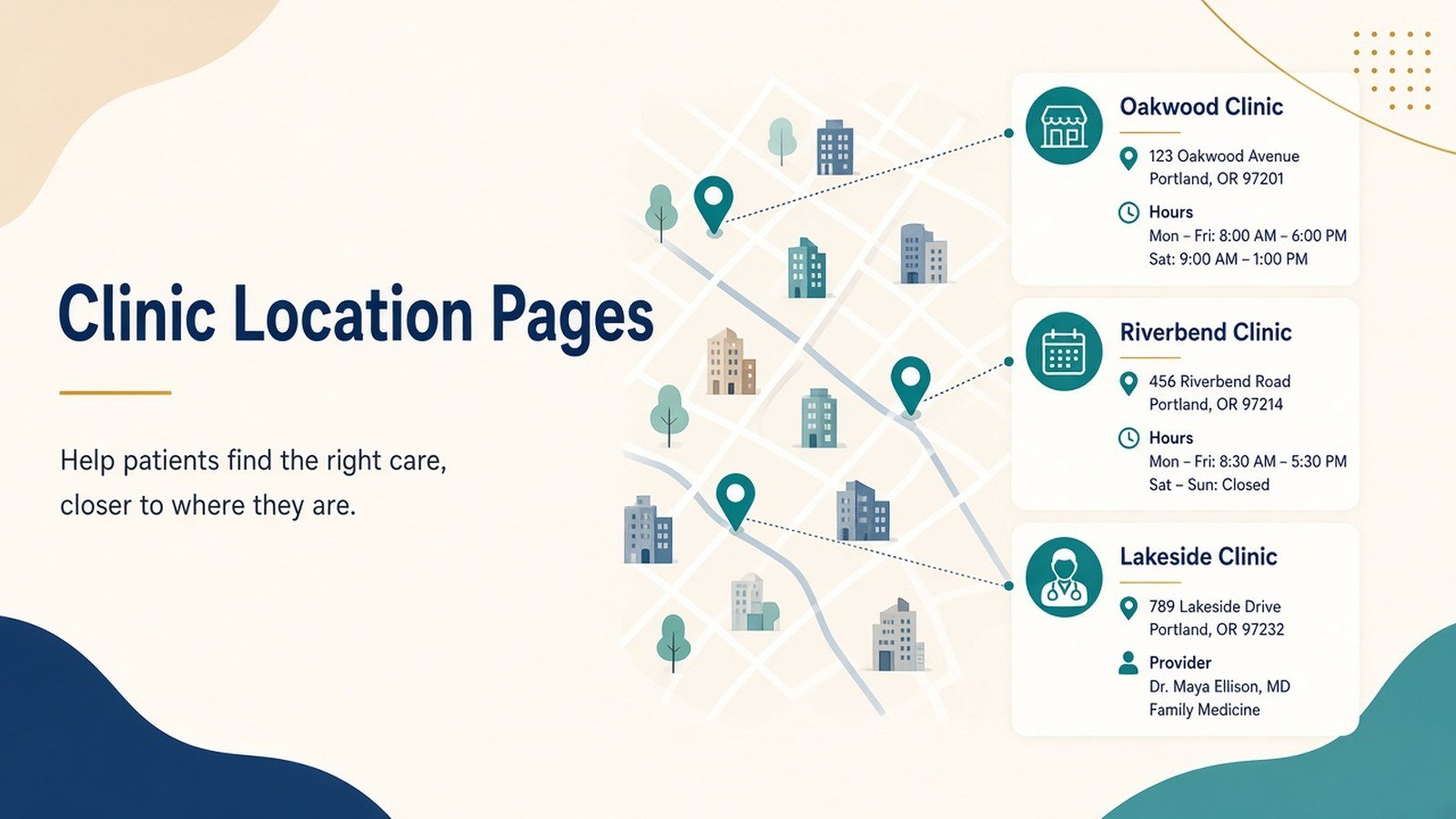
Open the websites of most clinic groups with three or more branches, and you will usually find the same thing. One page per branch, each one a copy of the last, with the area name swapped in the heading and a different phone number at the bottom. It looks tidy, but neither patients nor search engines can tell one branch from another.
Good multi-location clinic SEO starts with a simple idea: every branch page should answer the questions a patient near that branch would actually ask. Where exactly is it? Which doctors sit there, and on which days? Is there parking? Does this branch offer the procedure I need, or only the main centre? This guide sets out how to structure those pages, step by step, with a template you can adapt and the mistakes worth avoiding.
Why location pages matter more for clinics than most businesses?
Healthcare searches are local by nature. Someone looking for a paediatrician or a physiotherapy session rarely wants to cross the city for it. They search with an area name, or with “near me”, and pick from what shows up in the map results and the first few organic listings.
For a clinic group, that means each branch competes in its own small market. A practice with branches in Salt Lake, Behala and Garia is effectively running three local businesses under one brand. If all three share a single generic page, or three near-identical ones, the site gives search engines very little reason to show the right branch to the right person.
There is also a policy risk. Google’s spam policies describe “doorway” pages: large numbers of similar pages created mainly to rank for location terms while funnelling people to the same destination. A handful of genuine branch pages is not a doorway problem. Dozens of thin “dentist in [area]” pages for places where the clinic has no physical presence can be.
The principles behind strong healthcare location SEO
Before getting into structure, it helps to agree on a few rules.
- One real location, one page. Create a page for each branch patients can walk into. Areas you merely serve from a nearby branch can be mentioned on that branch’s page rather than given pages of their own.
- Unique information beats rewritten information. Spinning the same paragraph five ways does not make five pages unique. What makes a page distinct is information that only applies to that branch: its doctors, timings, services, directions, facilities and photos.
- Consistency across every listing. The clinic name, address, and phone number on the page should match the branch’s Google Business Profile exactly, and match directory listings such as Practo or Justdial where you have them.
- The page is for patients. If a sentence would not help someone decide whether to book at this branch, it probably does not belong there.
A step-by-step method for building clinic location landing pages
Step 1: Audit what already exists
List every branch, every location URL currently on the site, and every Google Business Profile. Check in Search Console which location pages already get impressions and for which queries. You will often find old pages for closed branches, duplicate URLs, or a single page trying to serve several areas.
Step 2: Decide the URL structure
Keep it flat and predictable. A pattern such as /locations/salt-lake/ and /locations/behala/, with a /locations/ hub page linking to all of them, works for most groups. If you also have city-level groupings (say, Kolkata and Siliguri), add that layer only when you genuinely have several branches per city.
Step 3: Collect branch-specific facts before anyone writes
This is the step most teams skip, and it is the reason so much duplicate location content gets published. Ask each branch manager for:
- Exact address, landmark, and floor, plus nearest metro station or bus stop
- Opening hours, including Sunday and public holiday timings
- Doctors attached to the branch and their consultation days
- Services and equipment available at this branch only, or not available here
- Parking, wheelchair access, lift, waiting area and payment options
- Accepted insurance or TPA tie-ups, if they differ by branch
- Recent, permission-cleared photos of the exterior, reception and rooms
Once this is in hand, the facts do most of the differentiating.
Step 4: Build a shared template with flexible sections
A template keeps pages consistent for patients, but the content inside each section should change. The illustrative template below shows how.
Step 5: Connect each page to its Google Business Profile
Link each branch’s profile to its own location page, not the homepage. Google’s guidelines for representing your business expect one profile per physical location, with accurate details. Where individual doctors have their own practitioner listings, keep those consistent too.
Step 6: Add structured data
Mark up each branch with LocalBusiness schema, using the more specific MedicalClinic or Dentist types from schema.org where they fit. Include the address, geo coordinates, opening hours, and phone number. Structured data does not guarantee any rich result, but it gives search engines an unambiguous description of each branch.
Step 7: Link internally with intent
The locations hub should link to every branch. Each branch page should link to the relevant service pages and doctor profiles. Service pages, in turn, can point back to the branches where that service is available.
Common mistakes, limitations and compliance points
- Swapping only the area name. This is the classic form of duplicate location content. If two branch pages would read almost identically after removing the area names, rewrite them around branch facts.
- Creating pages for places without a branch. Writing a page for every neighbourhood within ten kilometres invites the doorway-page problem and rarely serves patients. Mention served areas on the nearest real branch page instead.
- Stale details. A doctor who left six months ago, or old timings, damages trust quickly. Assign someone to review each page every quarter.
- Unsupported claims. Avoid phrases such as “best clinic in Kolkata”, promised outcomes, or before-and-after claims you cannot substantiate. Medical professionals in India also have professional-conduct rules on advertising set by the National Medical Commission and state councils, so check current guidance with your compliance adviser before publishing.
- Patient privacy. Never publish patient photos, names, or case details without documented, informed consent. India’s Digital Personal Data Protection Act, 2023 applies to how clinics collect and use personal data, including through booking forms on location pages. Testimonials should carry consent records too.
Marketing is not medical advice. Location pages can describe services, but treatment suitability should be left to the consultation.
A fair limitation to acknowledge: well-built location pages improve your chances of being found locally, but they do not guarantee rankings, calls, or new patients. Competition, reviews, proximity, and profile activity all play a part.
How to measure progress and decide the next step
Track each branch on its own rather than looking only at sitewide totals.
- Search Console: impressions, clicks, and queries for each location URL. Look for area-specific queries starting to appear.
- Google Business Profile insights: calls, direction requests, and website clicks per branch.
- Analytics: booking-form submissions and click-to-call events, segmented by location page.
- Front-desk data: a simple “how did you find us?” question at reception, recorded by branch.
Review monthly and act on what you see. If a branch page gets impressions but few clicks, rework the title and meta description. If it gets clicks but no bookings, look at the content, the phone number placement, and the booking flow. If it gets almost no impressions, check indexing, internal links, and whether the page is genuinely distinct from its siblings.
Quick checklist before publishing
- One page per physical branch, with a clean URL
- Name, address and phone match the Google Business Profile
- Branch-specific doctors, timings, services and facilities included
- Original photos, cleared for use
- LocalBusiness or MedicalClinic schema added and validated
- Internal links to services, doctors, and the locations hub
- No guarantees, unverified superlatives or patient-identifiable details
- Reviewed by someone at the branch for accuracy
Summary
Structuring location pages for a clinic group is mostly a matter of discipline: real branches only, real facts on every page, consistent details across listings, and regular checks to keep things current. Done this way, each branch page earns its place, helps patients choose with confidence, and gives your healthcare location SEO a far sounder footing than a stack of near-identical pages ever could.
If you want to see how these principles fit into a wider local search plan for healthcare practices, Doctors Branding Agency outlines its approach on its Local SEO and healthcare SEO pages.
Keep reading
More from the Doctors Branding blog
-
How to Improve Internal Linking on a Medical Website?
A practical medical website internal linking method: audit orphan pages, build speciality clusters, set link rules, and check patients can...
Read article → -

Local SEO Beyond Google Business Profile: Other Signals Doctors Can Manage
Local SEO beyond Google Business Profile: other signals doctors can manage, from consistent listings and service pages to reviews and...
Read article → -
Local SEO for Diagnostic Centres and Pathology Labs
Practical local SEO for diagnostic centres: fix Google profiles, build unique lab pages, keep details consistent, and measure results for...
Read article →
Want this kind of thinking applied to your practice?
Start with a conversation about where your doctor, clinic or hospital marketing stands today.