
How to Measure SEO Performance for a Clinic Beyond Rankings?
See which healthcare SEO metrics a clinic should track beyond rankings, how to join Search Console with analytics, and how to judge enquiries and bookings.
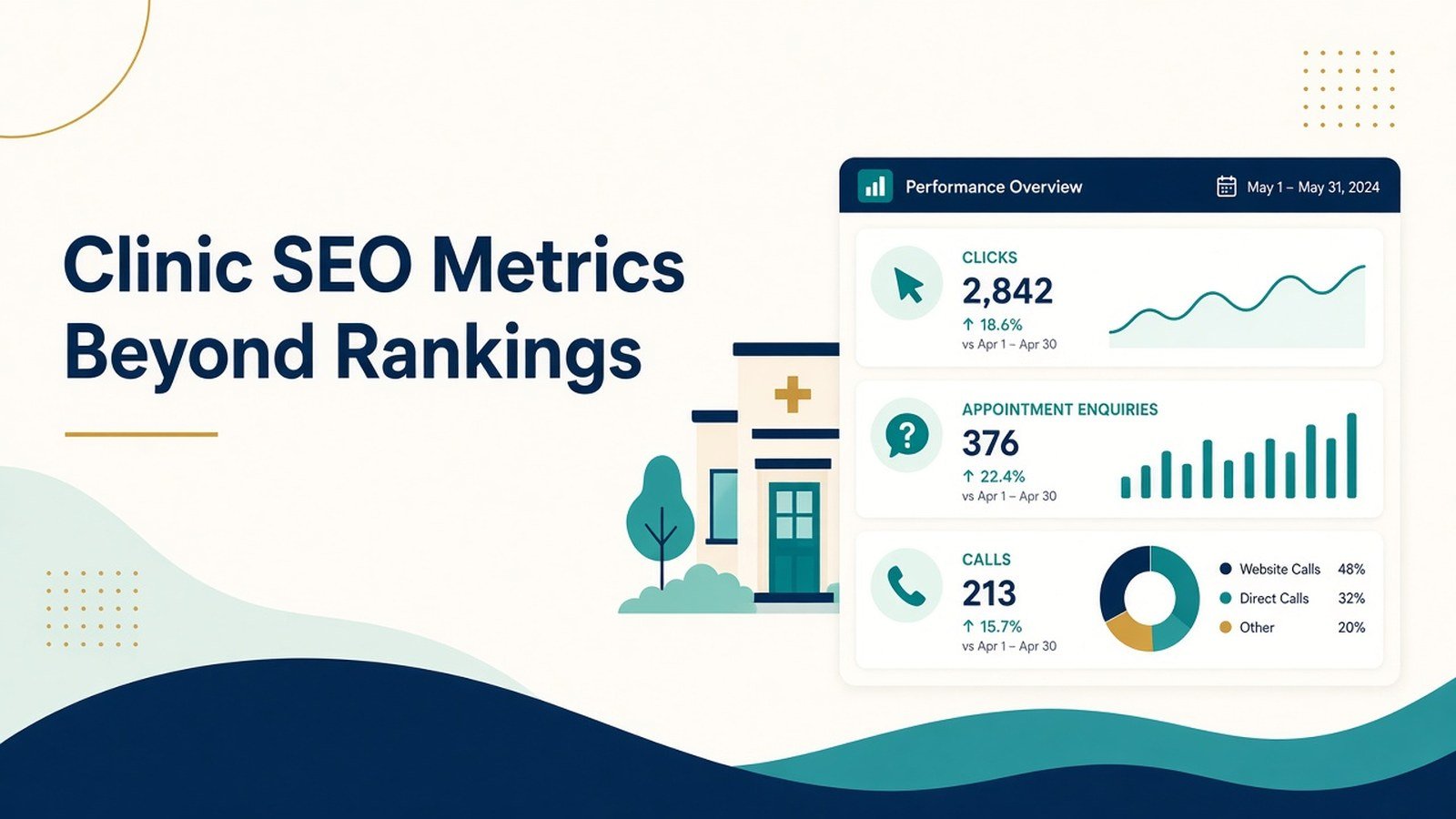
A clinic’s SEO performance cannot be judged by keyword positions alone. A website may rank well for relevant searches but generate few appointment enquiries. Another clinic may receive less organic traffic yet attract visitors who are more likely to contact the practice.
For healthcare business leaders, clinic managers, and marketing teams, effective reporting must connect healthcare SEO metrics with meaningful website activity and business outcomes. That means measuring visibility, qualified organic traffic, enquiries, appointment actions, and the reliability of conversion tracking—not simply reporting whether a keyword moved up or down.
The goal is to understand what organic search contributes, where prospective patients encounter friction, and which improvements deserve attention next. A structured reporting process can help clinics make better marketing decisions without promising specific rankings, patient numbers, or revenue.
Which Healthcare SEO Metrics Should a Clinic Track?
The most useful healthcare SEO metrics fall into four groups: search visibility, organic website traffic, conversion activity, and business outcomes. Each answers a different question, so clinics should avoid treating one metric as a complete measure of performance.
Search visibility
Google Search Console provides data on impressions, clicks, click-through rate (CTR), and average position. These metrics help teams understand how a website appears and performs in Google Search.
- Impressions: How often a website result appeared in search.
- Organic clicks: How often people clicked through from Google Search.
- CTR: The percentage of impressions that resulted in clicks.
- Average position: An aggregated measure of where a site’s topmost result appeared across impressions.
Use these figures to identify opportunities. For example, a specialty page receiving relevant impressions but relatively few clicks may need a clearer title, more specific page description, or better alignment with the search query.
Average position should be interpreted cautiously. It combines different queries and search contexts, so it does not represent a fixed position every prospective patient will see.
Organic website traffic
Website analytics can help explain what visitors do after arriving from organic search.
Track organic sessions, landing pages, engaged sessions, and navigation to relevant service pages. Segment the data by page type, device, and location where the available data supports meaningful comparisons.
Traffic growth is useful only when interpreted in context. An increase in visits to an unrelated blog post may have little connection to appointment enquiries. A smaller increase in relevant specialty-page visits may be more valuable to the practice.
Conversion activity
Conversion metrics measure actions that matter to the clinic, such as completed enquiry forms or appointment requests. Google Analytics 4 allows businesses to designate important measured events as key events.
Possible healthcare website events include:
- Successful enquiry form submissions.
- Completed appointment requests.
- Clicks on telephone links.
- Clicks on appointment-booking links.
- Requests for directions, where appropriate tracking is available.
Distinguish between an action and a completed outcome. Clicking a telephone number does not confirm that a call connected, and clicking an appointment link does not establish that a booking was completed.
Business outcomes
Where reliable, privacy-compliant records are available, assess qualified enquiries, appointments booked, appointments attended, and the proportion of enquiries that become genuine opportunities for the practice.
These outcomes may require operational records beyond standard web analytics. Establishing a reliable connection between organic search and completed appointments can be difficult when patients switch devices, call the clinic, or book through a third-party system.
Do not claim that SEO caused every enquiry simply because the patient visited the website. Attribution is an estimate, not a complete account of the decision-making journey.
A Step-by-Step Process for Monthly SEO Reporting
Step 1: Define what success means
Agree on the clinic’s main objective before selecting KPIs. A new practice may prioritise relevant search visibility and qualified enquiries. An established clinic may focus on improving the performance of specific specialty pages or increasing completed appointment requests.
Choose a small set of primary metrics that directly relate to the objective. Supporting metrics should help explain the results rather than overwhelm the report.
Step 2: Establish a reliable baseline
Collect a consistent reporting period before evaluating progress. Where possible, compare month over month and year over year to account for seasonality.
Record changes that could affect interpretation, including website redesigns, new service pages, tracking updates, changes in clinic availability, and major marketing campaigns.
Step 3: Connect Search Console with website analytics
Use Search Console to understand search visibility and clicks. Use GA4 to examine website activity and measured events.
Google provides guidance on using Search Console and Google Analytics together, while noting that the two products measure different aspects of the search journey. Their figures will not always match exactly.
Create a consistent reporting view that includes:
- Relevant search queries and landing pages.
- Organic clicks and organic landing-page sessions.
- Enquiry and appointment-related events.
- Qualified enquiries and completed appointments, where reliably recorded.
- Tracking issues, limitations, and actions planned for the next month.
Step 4: Validate SEO conversion tracking
Before using conversion numbers to judge performance, confirm that the tracking setup works as intended.
Test each important journey on desktop and mobile. Submit a test enquiry, confirm the success state, and check whether the corresponding event appears in the analytics platform. Verify that a single submission does not trigger multiple events and that failed submissions are not counted as successful enquiries.
Google’s event implementation documentation explains how website interactions can be measured through GA4 events and validated using its reporting and debugging tools.
Repeat these checks after changes to forms, booking software, consent settings, caching, or tag configurations.
Define each denominator consistently. For example, a rate calculated using sessions is not directly comparable with one calculated using users. State the measurement basis in every report.
These rates are diagnostic tools, not universal benchmarks. A low rate may indicate a mismatch between search intent and page content, a difficult enquiry process, or a tracking problem. Investigate before deciding which explanation applies.
Common Reporting Mistakes and Healthcare Privacy
Several reporting practices can lead to misleading conclusions.
Focusing only on rankings. Rankings provide context but do not show whether visitors contact the clinic. Combine visibility metrics with conversion activity and, where available, operational outcomes.
Reporting traffic without intent. More sessions do not automatically mean more relevant prospective patients. Separate informational content from pages designed to explain services or support appointment enquiries.
Counting every click as a conversion. Telephone-link clicks, form starts, and completed forms represent different actions. Name and report each event accurately.
Ignoring tracking failures. Missing events can make a successful campaign appear ineffective. Conversely, duplicate events can inflate results. Audit the implementation before drawing conclusions.
Overstating attribution. Patients may discover a clinic through search and later book by phone, or they may interact with several marketing channels. Report the attribution method and its limitations clearly.
Collecting sensitive information unnecessarily. Healthcare websites must take particular care with forms, analytics tags, URL parameters, and third-party tools. Google Analytics policies prohibit sending personally identifiable information to Analytics, and its healthcare guidance also warns against collecting information that reveals sensitive details about users.
Avoid placing patient names, email addresses, phone numbers, medical conditions, appointment details, or other sensitive information in analytics event parameters or page URLs. Use aggregated reporting and restrict access to operational records. Review applicable Indian data-protection requirements, consent practices, and professional obligations with appropriate advisers.
Marketing analytics should evaluate the website journey, not expose a patient’s identity or medical circumstances.
How to Evaluate Progress and Choose the Next Action
A monthly report should finish with a decision, not just a collection of charts.
Use the following framework to identify the next step:
| What the data shows | What to investigate next |
|---|---|
| Impressions rise but clicks remain weak | Review query relevance, page titles, and search-result descriptions |
| Organic clicks rise but relevant page sessions do not | Check measurement differences, redirects, and landing-page reporting |
| Relevant traffic rises but enquiries remain flat | Review page clarity, service information, mobile usability, and enquiry steps |
| Enquiries rise but qualified enquiries do not | Assess search intent, service fit, and enquiry quality |
| Enquiries fall suddenly | Validate tracking, forms, booking links, website changes, and operational availability |
| Visibility and enquiries remain stable | Review the highest-priority pages and identify a specific improvement to test |
Avoid making several major changes at once if the team needs to understand which change influenced the result. Document the hypothesis, the action taken, the measurement period, and the outcome.
For local practices, Google Business Profile performance can provide additional context. Available metrics include profile views, searches, calls, website clicks, and direction requests, although availability varies by profile. These measures describe profile interactions and should not be treated as equivalent to completed appointments.
Monthly healthcare SEO checklist
- Review organic clicks, impressions, CTR, and relevant queries.
- Identify the landing pages attracting the most relevant traffic.
- Validate enquiry and appointment-related event tracking.
- Compare completed and qualified enquiries where reliable records exist.
- Check for website changes, seasonal factors, and operational limitations.
- Select one or two evidence-based actions for the next reporting period.
Conclusion
Measuring clinic SEO performance beyond rankings means connecting search visibility to relevant website visits, reliable conversion tracking, and meaningful business outcomes. The most useful healthcare SEO metrics are those that help a clinic understand what is working, identify friction, and make informed decisions without overstating what the data proves.
For clinics reviewing their reporting process, the
Healthcare SEO service page offers further information about the broader SEO work that supports search visibility and website performance.
Keep reading
More from the Doctors Branding blog
-
How to Improve Internal Linking on a Medical Website?
A practical medical website internal linking method: audit orphan pages, build speciality clusters, set link rules, and check patients can...
Read article → -

Local SEO Beyond Google Business Profile: Other Signals Doctors Can Manage
Local SEO beyond Google Business Profile: other signals doctors can manage, from consistent listings and service pages to reviews and...
Read article → -

Local SEO for Diagnostic Centres and Pathology Labs
Practical local SEO for diagnostic centres: fix Google profiles, build unique lab pages, keep details consistent, and measure results for...
Read article →
Want this kind of thinking applied to your practice?
Start with a conversation about where your doctor, clinic or hospital marketing stands today.