
Core Web Vitals for Healthcare Websites: A Practical Fix List
A practical fix list for Core Web Vitals for healthcare websites, covering LCP, INP and CLS issues that slow clinic pages and what to measure after changes.
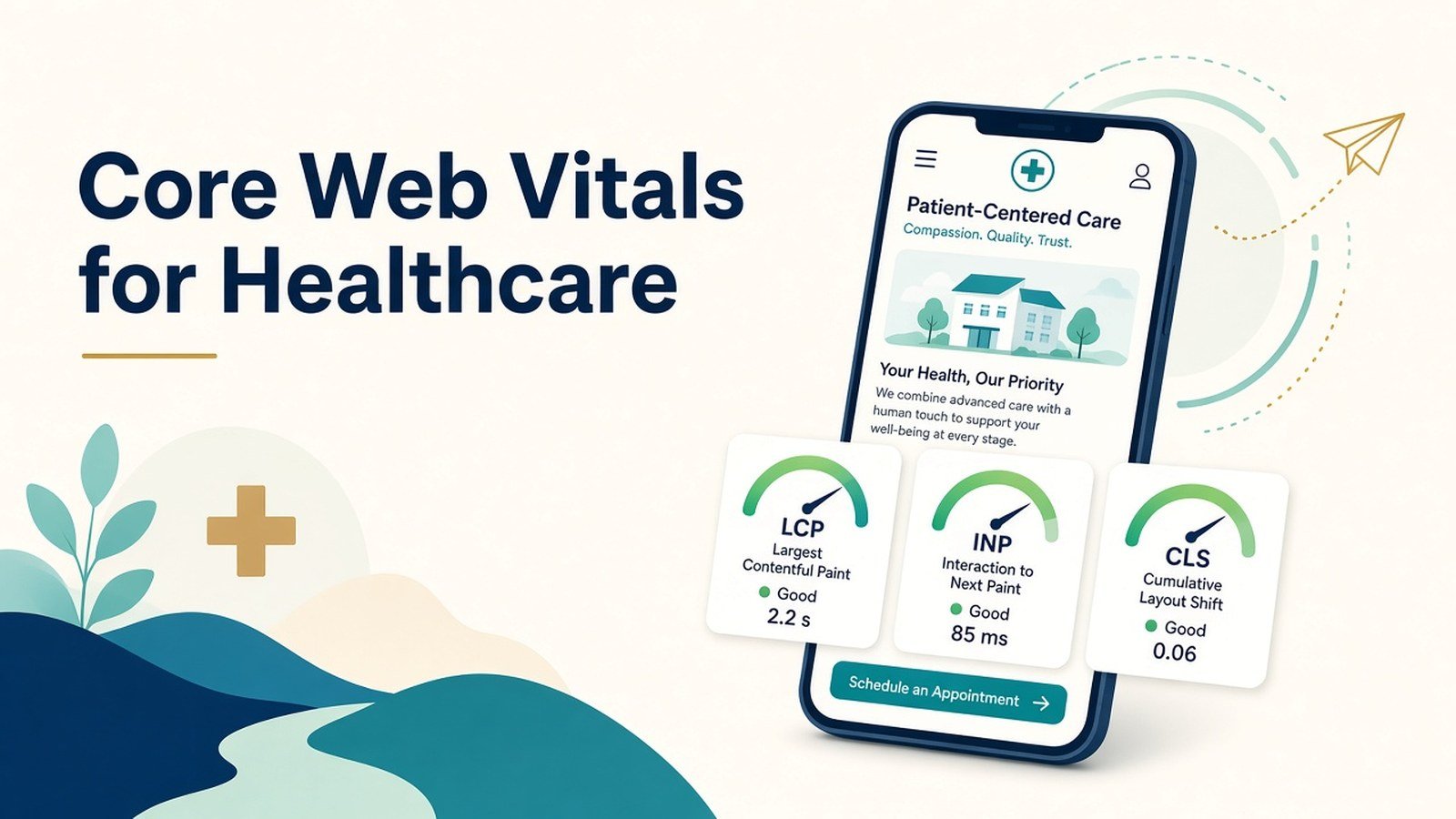
Healthcare website speed optimization means getting three Google metrics into the “good” range on real patient visits: Largest Contentful Paint (LCP) within 2.5 seconds, Interaction to Next Paint (INP) under 200 milliseconds and Cumulative Layout Shift (CLS) below 0.1. On most clinic sites, the biggest gains come from three fixes: compress the hero image, delay third-party scripts such as chat widgets and booking embeds, and reserve space for anything that loads late.
Why a slow clinic website is a patient problem, not just a tech problem?
Picture someone in Salt Lake searching for a paediatrician at 11 pm with a feverish child. They’re on a mid-range Android phone with patchy mobile data, and they tap your listing. If the page stays blank for five seconds, or the “Call now” button jumps just as they reach for it, they go back and tap the next result.
That’s the real cost. Many patients look for doctors on their phones, often when they’re anxious, in a hurry or both. A slow site doesn’t just frustrate them. It quietly sends them to another clinic.
Google pays attention too. Its Search documentation says good Core Web Vitals clinic align with what its core ranking systems aim to reward. They’re one signal among many, so fixing them won’t push a thin page to the top. But on a competitive local search, a fast, stable page gives you one less reason to lose the click.
The three metrics, in plain language
| Metric | What it measures | “Good” threshold | Typical culprit on clinic sites |
|---|---|---|---|
| LCP (Largest Contentful Paint) | How fast the main content appears | 2.5 s or less | Oversized hero photo of the doctor or building |
| INP (Interaction to Next Paint) | How quickly the page responds to a tap | 200 ms or less | Chat widgets, heavy page builders, tracking scripts |
| CLS (Cumulative Layout Shift) | How much the layout jumps while loading | 0.1 or less | Cookie banners, late-loading booking forms, web fonts |
Google assesses each metric at the 75th percentile of real visits. Three out of four visitors need a good experience, and a fast test on your own office Wi-Fi doesn’t count.
A step-by-step fix process
Start with field data
Open the Core Web Vitals report in Search Console and switch to the mobile tab. It groups URLs that share a problem, so you can tell whether the trouble sits on the homepage, the doctor profile template or the location pages. Then run the worst URLs through PageSpeed Insights to find the elements causing it.
Fix LCP on your highest-value template
Begin with the homepage, the specialty pages and the appointment page.
- Convert the hero image to WebP or AVIF and size it for mobile screens. A 3 MB banner photo is one of the most common problems on clinic sites.
- Don’t lazy-load the hero image. Lazy-load what sits below the fold instead.
- Use reliable hosting with a CDN and turn on page caching. Cheap shared hosting can cost a full second before anything appears.
Fix INP by controlling third-party scripts
Healthcare sites tend to pile up scripts: WhatsApp buttons, appointment widgets, review carousels, analytics, ad pixels and heatmaps. Every one of them competes for the phone’s processor.
- Audit every script and remove the ones nobody uses.
- Load chat widgets only after the visitor scrolls or taps.
- Swap heavy page-builder sliders for simple static sections.
Fix CLS by reserving space
Set a width and height on every image and video. Give embedded booking forms and maps a fixed-size container. Show cookie or consent banners as an overlay so they don’t push content down. Preload your main web font and use a fallback font of similar size.
Re-test and validate
Once the changes are live, click “Validate fix” in Search Console. Field data runs on a rolling 28-day window, so give it about four weeks before you judge the result.
Not sure where to start?
Rank each issue with two questions: how many important pages does it affect, and how hard is the fix? A heavy hero image on the homepage template affects every visitor and takes an hour to fix, so it goes first. Rebuilding a page-builder theme affects everything but takes weeks, so plan it as a project rather than a quick win. Anything that touches forms or patient enquiries, such as moving a booking widget, needs a test booking on a real phone before and after the change.
Illustrative example: a multi-specialty clinic in Kolkata
This is a hypothetical scenario for illustration only. It is not a client result.
Imagine a 12-doctor clinic in Kolkata running a WordPress site. Search Console flags its doctor profile pages as “Poor” on mobile. PageSpeed Insights points to three causes. Each profile loads a 2.4 MB uncompressed portrait, a third-party booking widget runs on every page, and a Bengali-English font pair loads late and shifts the text.
A sensible fix plan would look like this:
| Issue | Fix | Metric affected |
|---|---|---|
| Oversized portraits | Resize to 800 px wide and serve as WebP | LCP |
| Booking widget on every page | Load it only on the booking page; link to it elsewhere with a button | INP |
| Late-loading fonts | Preload the main font and use a size-matched fallback | CLS |
If the clinic also has location pages for patients from Howrah or elsewhere in West Bengal, the same template fixes carry over to those pages automatically. None of these changes touches clinical content. Each one can be tested on a single template before it goes site-wide.
Common mistakes, limits and compliance considerations
- Chasing a perfect lab score. A desktop score of 100 means little if mobile field data is still poor. What real users experience is what counts.
- Installing yet another speed plugin. Stacked caching and optimization plugins often clash with each other. One well-configured tool beats three.
- Removing scripts without asking the team. That “unused” pixel might be feeding a live ad campaign. Agree on changes with marketing first.
- Treating speed as a ranking guarantee. Better Core Web Vitals improve the experience. They don’t guarantee rankings, enquiries or patient numbers.
Privacy needs particular care. Many mobile speed healthcare fixes bring in third-party tools such as CDNs, chat providers and analytics. If any of them handle form data or appointment details, check what they collect and where they store it.
India’s Digital Personal Data Protection Rules, 2025 were notified on 13 November 2025, and most notice, consent and security obligations phase in over 18 months. Never put patient names, symptoms or phone numbers in page URLs or analytics events, and take qualified legal advice on compliance. This article is marketing guidance, not legal or medical advice.
How to measure progress and decide your next step?
Check three things every month:
- Search Console Core Web Vitals report: how many mobile URLs sit in Good, Needs improvement and Poor.
- PageSpeed Insights field data for your five most important pages.
- Business signals in analytics, such as mobile bounce rate and clicks on call or booking buttons. Read these as trends, not proof of cause.
Then apply a simple rule. If a URL group is still “Poor” after four weeks, go back and diagnose that template again. If it sits at “Needs improvement”, fix the single worst metric first rather than everything at once. Once everything is “Good”, shift your effort to content and local SEO, because that’s usually where further growth comes from.
Final Words
Core Web Vitals on a healthcare website come down to three habits: keep images light, keep third-party scripts in check and stop the layout from moving. Measure with field data, fix one template at a time and protect patient data with every tool you add. If your practice is planning a rebuild, the Healthcare website design page from Doctors Branding Agency explains how medical website performance can be built in from the start instead of patched later.
Action checklist for your clinic website
- Check the mobile Core Web Vitals report in Search Console
- Run your 5 most important URLs through PageSpeed Insights
- Compress and resize hero and doctor images (WebP or AVIF)
- Turn off lazy-loading for the hero image only
- Confirm hosting, CDN and page caching are in place
- Audit third-party scripts and remove the unused ones
- Delay chat widgets until the visitor interacts
- Set image dimensions and fixed containers for forms and maps
- Check that no patient data appears in URLs or analytics events
- Click “Validate fix” and review again after 4 weeks
Frequently asked questions
What are good Core Web Vitals scores for a clinic website?
LCP of 2.5 seconds or less, INP of 200 milliseconds or less and CLS of 0.1 or less, measured at the 75th percentile of real visits.
Do Core Web Vitals affect healthcare SEO rankings?
Google says good Core Web Vitals align with what its ranking systems reward. They are one factor among many, and relevance and content quality still matter more.
What slows down most doctor websites?
Usually oversized images, too many third-party scripts such as chat and booking widgets, and slow shared hosting.
How long does it take to see Core Web Vitals improvements?
Search Console uses a rolling 28-day window of real-user data, so expect around four weeks after a fix goes live.
Can speed tools create privacy risks for a healthcare site?
Yes, if a CDN, chat or analytics tool processes patient details. Check what each tool collects and get advice on India’s DPDP rules.
Keep reading
More from the Doctors Branding blog
-
How to Improve Internal Linking on a Medical Website?
A practical medical website internal linking method: audit orphan pages, build speciality clusters, set link rules, and check patients can...
Read article → -

Local SEO Beyond Google Business Profile: Other Signals Doctors Can Manage
Local SEO beyond Google Business Profile: other signals doctors can manage, from consistent listings and service pages to reviews and...
Read article → -

Local SEO for Diagnostic Centres and Pathology Labs
Practical local SEO for diagnostic centres: fix Google profiles, build unique lab pages, keep details consistent, and measure results for...
Read article →
Want this kind of thinking applied to your practice?
Start with a conversation about where your doctor, clinic or hospital marketing stands today.