
How to Build a Strong General Clinic Website Homepage Checklist
Ten questions a general clinic homepage must answer, with a working checklist, common mistakes and the numbers to track after each review.
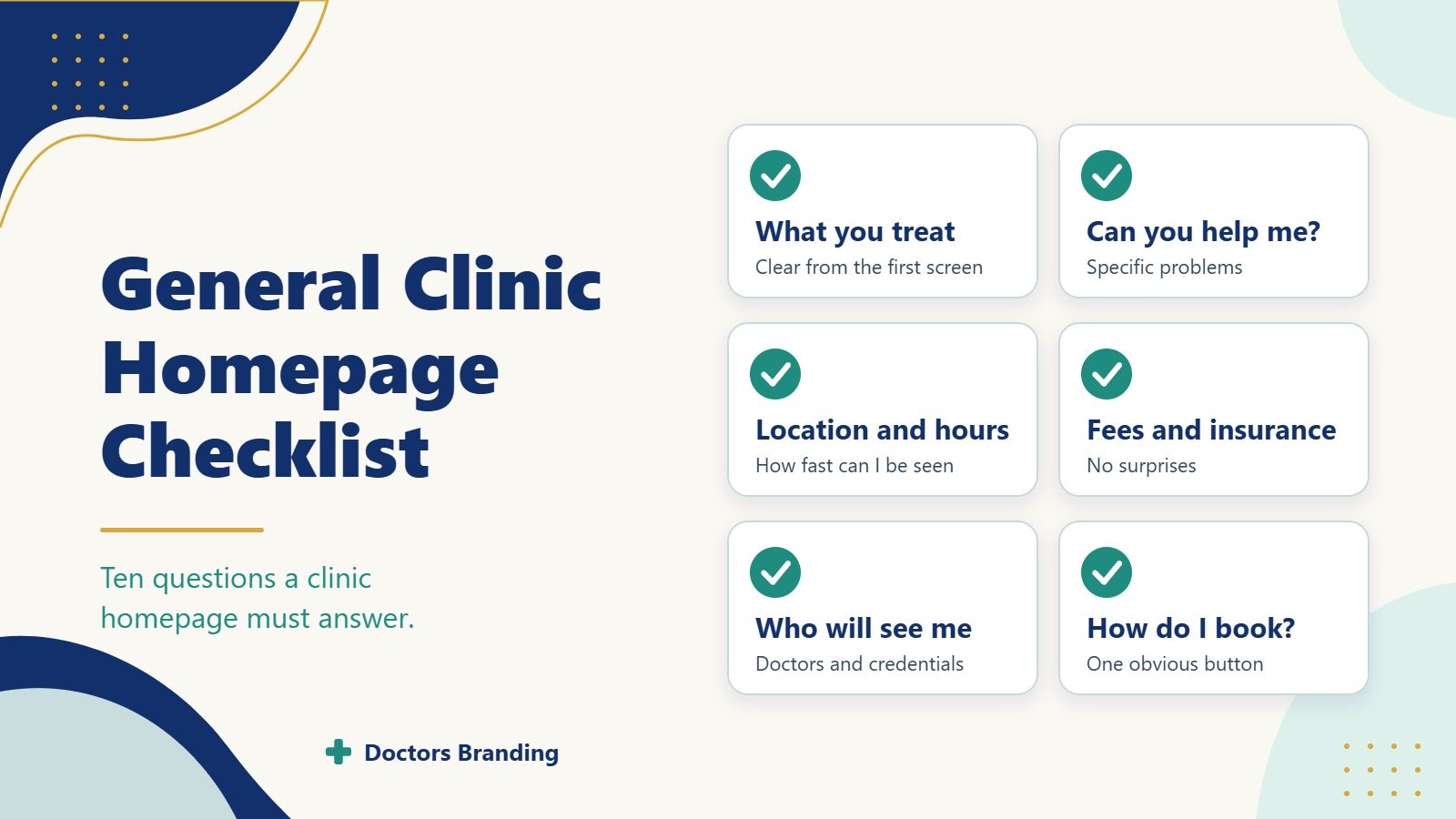
A strong homepage decides whether a visitor stays or leaves. Most people arrive with a simple question in mind. They want to know if this clinic can help them today. A clear general clinic website homepage checklist forces the page to answer those questions before anyone fills a form or picks up the phone.
This how to guide walks through the exact questions a general clinic homepage must answer. It also shows how to turn those answers into a practical general clinic website homepage checklist you can use on any new or existing site.
Why the Homepage Must Answer Questions First
Visitors rarely read every line. They scan for proof that the clinic is the right place. If the homepage leaves basic doubts, they move to the next result. A complete general clinic website homepage checklist removes those doubts in the first few seconds.
The checklist covers identity, services, access, trust, and next steps. Each item below is written as a question the page should answer without forcing the visitor to dig.
Question 1: Who Are You and What Do You Treat?
The first screen must state the clinic name and the main services in plain language. Visitors should not guess whether you handle general medicine, family care, or specific conditions.
How to answer it on the page
- Place the clinic name in the top header and again in the main headline.
- Add a short line that lists the core services in everyday words.
- Avoid long mission statements above the fold.
A good general clinic website homepage checklist item reads: “Does the headline name the clinic and the main problems it solves within five seconds?”
Question 2: Can You Help With My Specific Problem?
People search for symptoms or conditions more often than for clinic names. The homepage should show the most common reasons patients visit.
How to answer it
- Add a short list or icon row of frequent concerns (fever, check ups, blood pressure, minor injuries, vaccinations).
- Link each item to a deeper service page.
- Use patient language, not only medical terms.
This part of the general clinic website homepage checklist confirms that visitors see their own situation reflected on the page.
Question 3: Where Are You Located and How Do I Reach You?
Location remains one of the strongest filters. Visitors need the address, landmarks, parking notes, and public transport hints without opening a map.
How to answer it
- Show the full address in the header or just below the main section.
- Add a simple map or a clear “Get Directions” button.
- Mention parking or bus routes in one short sentence.
A solid general clinic website homepage checklist asks: “Can a visitor find the exact location and travel options without scrolling past the first screen?”
Question 4: When Are You Open and How Fast Can I Be Seen?
Opening hours and appointment speed decide many choices. People want to know if they can come today or must wait days.
How to answer it
- Display current hours in a visible spot.
- Note same day or next day availability if it is true.
- Mention after hours or emergency instructions in one line.
This question belongs on every general clinic website homepage checklist because delayed answers push visitors elsewhere.
Question 5: Do You Accept My Insurance or Offer Clear Fees?
Cost and insurance questions stop many enquiries. The homepage should give enough information to reduce fear.
How to answer it
- List major insurance plans accepted.
- Add a short note about self pay options or starting fees if relevant.
- Link to a full insurance page for details.
The general clinic website homepage checklist treats this as a trust item. Clear money information increases form fills.
Question 6: Who Will See Me and Are They Qualified?
People want to know the doctors or providers before they enquire. Faces and credentials build comfort.
How to answer it
- Show two or three provider photos with names and basic qualifications.
- Link each photo to a full profile.
- Mention years of experience or special interests in one line.
A complete general clinic website homepage checklist includes visible provider proof above the fold or just below it.
Question 7: What Do Other Patients Say?
Reviews and short testimonials reduce risk. Visitors look for real experiences with wait times, staff kindness, and results.
How to answer it
- Place three to five recent short quotes near the top or middle.
- Show star ratings if available.
- Link to a full reviews page or third party profiles.
This section strengthens any general clinic website homepage checklist because social proof answers the unspoken question “Will I be treated well?”
Question 8: How Do I Book or Ask a Question Right Now?
The next step must be obvious. Multiple clear buttons reduce drop off.
How to answer it
- Place a primary “Book Appointment” or “Call Now” button in the header and again after the main message.
- Offer a short contact form for non urgent questions.
- Show the phone number as clickable text on mobile.
Every general clinic website homepage checklist ends with this item. The page fails if the action is hard to find.
Question 9: Is the Clinic Safe and Up to Date?
Basic trust signals matter. Visitors notice licenses, cleanliness mentions, and recent updates.
How to answer it
- Add license or registration numbers in the footer.
- Mention infection control or safety steps in one short line if relevant.
- Show the year of the last website update or a recent news note.
These small proofs belong on the general clinic website homepage checklist because they answer quiet safety concerns.
Question 10: What Happens After I Enquire?
People want to know the process. A short explanation reduces anxiety.
How to answer it
- Add three simple steps: “Send details → We confirm → You arrive.”
- Mention typical response time.
- Note what to bring on the first visit.
This final piece of the general clinic website homepage checklist turns interest into a completed enquiry.
How to Turn the Questions Into a Working Checklist
Use the questions above as a live review tool.
Step by step process
- Open the homepage on a phone and on a desktop.
- Answer each of the ten questions with yes or no.
- Note any missing answer and the exact place it should appear.
- Rewrite short text blocks so every answer fits in one or two sentences.
- Test the page with three people who do not work at the clinic.
- Update the general clinic website homepage checklist after each change.
Repeat the review every three months or after any major service change. A living general clinic website homepage checklist keeps the page useful as patient needs shift.
Extra Items That Strengthen the Checklist
Add these secondary checks once the main ten questions are covered.
- Mobile speed: the page should load fast on a phone.
- Clear headings: each section uses simple words.
- Footer completeness: address, phone, hours, and license appear again at the bottom.
- Language options: if the area needs them, show a switch.
- Emergency note: a short line that tells people when to go to a hospital instead.
These extras complete a thorough general clinic website homepage checklist without cluttering the main message.
Common Mistakes the Checklist Prevents
Many clinic homepages fail for the same reasons.
- The clinic name appears only in the logo.
- Services are listed in medical jargon only.
- The address sits in the footer alone.
- The booking button is hard to see on a phone.
- No provider faces appear on the first screen.
- Insurance information is missing or buried.
A regular general clinic website homepage checklist catches these gaps before visitors leave.
Measuring Success After the Checklist Is Applied
Track simple numbers after updates.
- Time on page should rise.
- Bounce rate should fall.
- Form fills and phone clicks should increase.
- The share of mobile visitors who stay should improve.
Compare these numbers before and after each checklist review. The data shows whether the general clinic website homepage checklist is working.
Final Notes on Using the Checklist
A general clinic homepage does not need to be long. It needs to answer the ten questions above in clear, short blocks. Visitors should feel informed and safe enough to enquire without extra clicks.
Build the page around the general clinic website homepage checklist. Review it often. Keep every answer short and visible. When the homepage removes doubt, more visitors turn into patients. The same checklist works for new sites and for older pages that need a refresh. Start with the first screen. Make sure the clinic name, main services, location, and booking button appear at once. Then add the remaining answers in the order patients usually ask them. This order matches real general clinic website homepage checklist priorities and keeps the page useful for years.
Keep reading
More from the Doctors Branding blog
-
Why Booked Appointments and Form Leads Are Different Marketing Measures
Why form leads and booked appointments are different measures, how to track them separately and how to improve the step...
Read article → -

What Patients Look For When Comparing Cosmetic Surgeons
What patients compare when choosing a cosmetic surgeon: consultation experience, recovery details, before and after photos, credentials and costs.
Read article → -

What Patients Look For When Comparing Dermatologists
How patients compare dermatologists for medical skin, hair and aesthetic care: credentials, photos, reviews, access and what practice pages should...
Read article →
Want this kind of thinking applied to your practice?
Start with a conversation about where your doctor, clinic or hospital marketing stands today.